
 UCloud
Architecture and Networking
In this article we will go through the overall architecture and networking modes of UCloud/IM for Slurm. We will start by explaining the overall architecture, followed with a discussion on networking requirements.
Overall Architecture
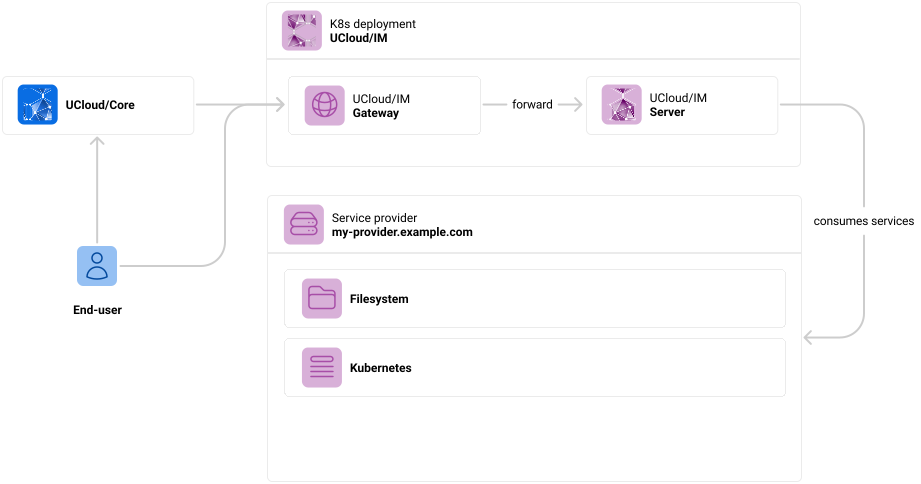
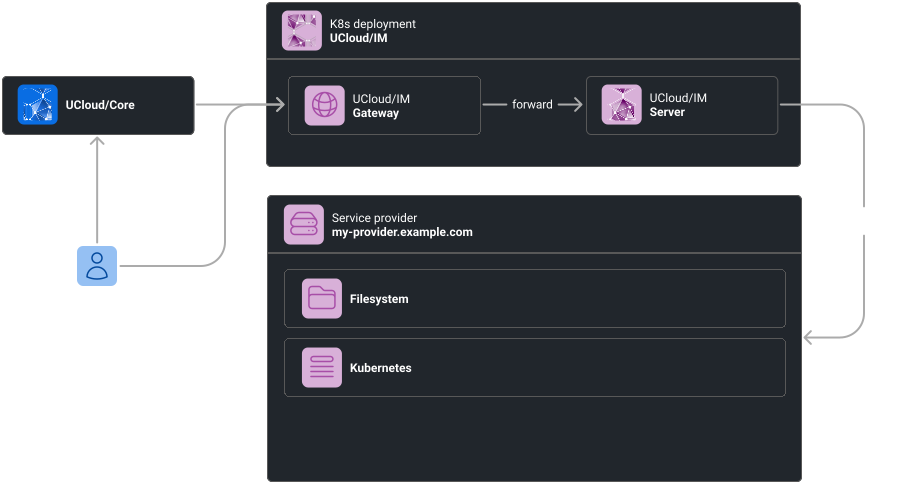
Overall architecture of UCloud/IM for Kubernetes. This diagram depicts a production-like setup.
In the architecture above, we have several actors. We have summarised the role of each actor in the table below:
| Actor | Purpose |
|---|---|
| End-user |
The end-user is a user of the UCloud platform and of the service provider. As we have discussed in the introduction chapter, the end-user primarily communicates with UCloud/Core, and in rare cases directly with a service provider. |
| UCloud/Core |
The UCloud platform itself. This is the service hosting the user-interface and core APIs. It is not part of the provider’s deployment. You can read more about the role of UCloud/Core here. The core will to a large extent, forward requests to service providers after performing validation, authentication and authorization. |
| K8s deployment |
The UCloud/IM is deployed as a Kubernetes deployment. It will communicate with Kubernetes to deliver the filesystem and compute services. |
| UCloud/IM (Gateway) |
The gateway is a publicly accessible web-server and is part of the integration module. It accepts all traffic destined to the integration module. In then forwards to either the UCloud/IM server instance or one of the user applications. |
| UCloud/IM (Server) |
The server instance of the integration module. This server is responsible for handling server-to-server traffic which is not related to an end-user request. For example, this server instance will tell UCloud/Core about which services it exposes. In addition to this, it is also responsible for keeping track of jobs and reporting the state back to UCloud/Core. |
Networking Requirements
In this section, we will recap the requirements listed from the section above.
DNS and Certificates
In this section we will list DNS entries and accompanying TLS certificates required for your service. All certificates
must be signed by a trusted root CA. DNS entries must resolve through public DNS servers. In the table below we use
my-provider.example.com as a placeholder representing your provider, please replace this with whichever domain you
control (for example hippo.cloud.sdu.dk).
| Mandatory | Hostname | Resolves to | Purpose |
|---|---|---|---|
| Yes | my-provider.example.com | Gateway IP | Accepting general IM traffic (user and server) |
| No | *.my-provider.example.com | Gateway IP | Traffic destined for interactive applications |
The gateway IP refers to the IP address on which the UCloud/IM gateway listens. This must be a publicly routable IP address.
Firewall Configuration
| Protocol | Port | Source | Destination | Purpose |
|---|---|---|---|---|
| TCP | 80 | All | Gateway IP | Redirecting to HTTPS (443) |
| TCP | 443 | All | Gateway IP | Accepting IM traffic and interactive application traffic |
| TCP | 443 | Gateway IP | UCloud | Sending messages to UCloud/Core |